Research, design & making · 6 pages · Select “View at 100%” to read the finer details.
05
Minutes Before
Interactive web work · 2026 Lean in, and the clock runs back
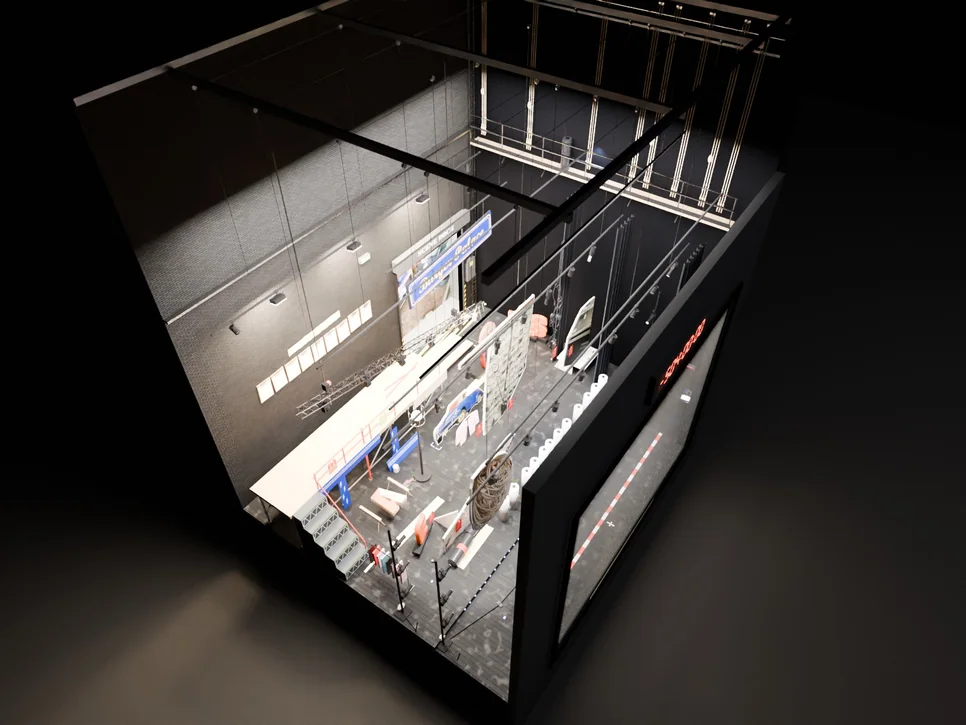
A web piece about the time a show is made of. The stage is a Blender model built from photos of our school’s production of Grease. Two hands turn it. Bring one hand toward the camera and the view moves in: from the curtain call, back through places, through the things that broke in the last half hour, to the calls that came before. The Mac camera does the hand tracking on the device; the model goes from Blender to glTF to Three.js, with video on in-model screens.
The moment on stagecamera ≈ 2 m
Preparation≈ 1 m
Faults and mistakes≈ 0.5 m
Repeated work≈ 0.25 m
02 Before the curtain · research
Curtain at 7.30. First call at 3.30.
An audience sees what starts when the lights come up. The setting up, the cleaning, the rehearsing and adjusting, the mistakes and the waiting all happen out of sight. I spent two years on the backstage crew of our school musical, The Little Mermaid and then Grease. This project starts from the Grease crew call sheet, and from what kept going wrong in the half hour before each show.
Sources
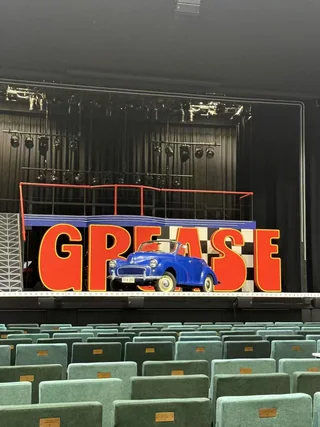
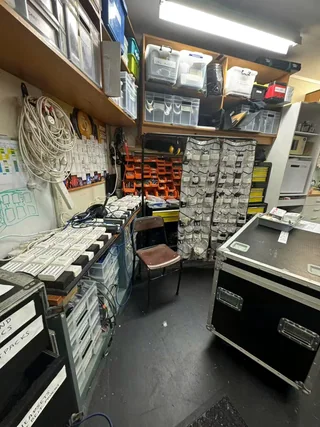
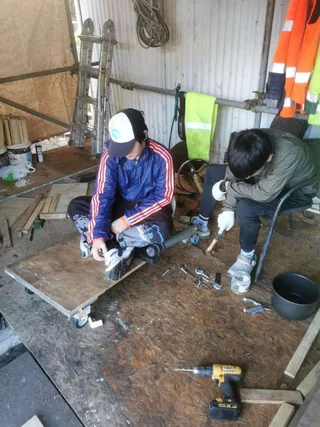
GREASE crew call times, 2 pages, 11–18 May. Production photos, set, sound room, workshop. My own account of the faults, two seasons on crew.
Design questionHow do you show someone the four hours before a show, without asking them to sit through four hours?
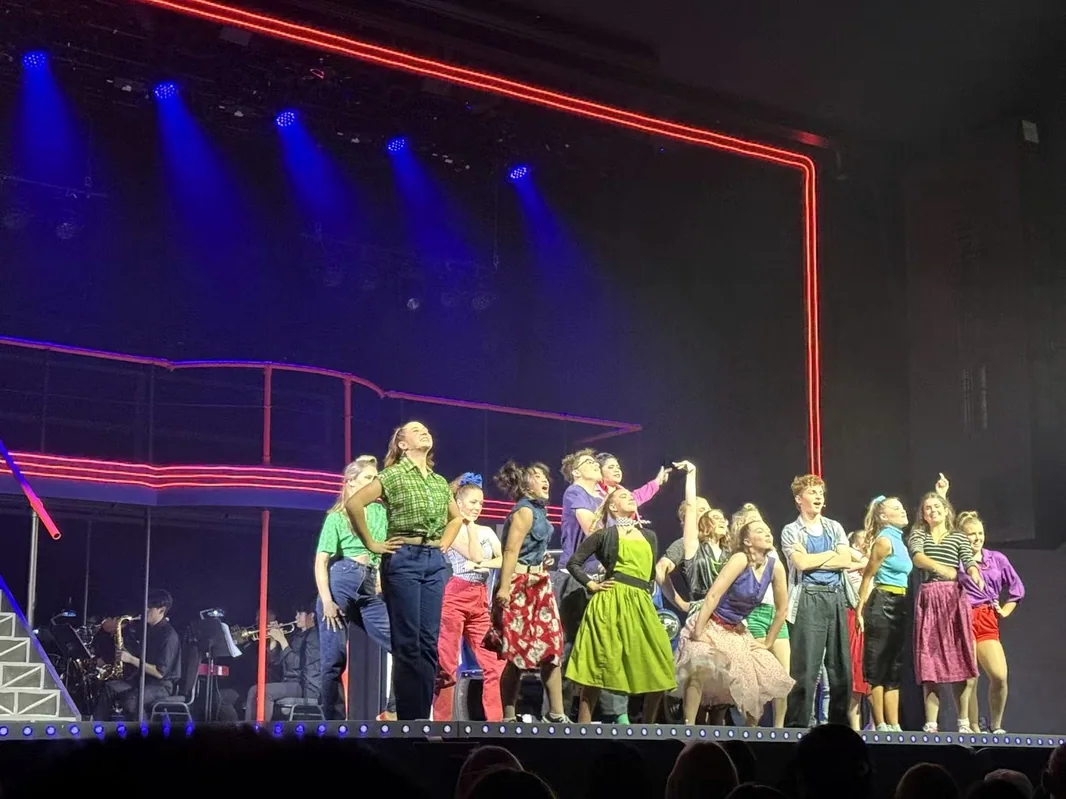
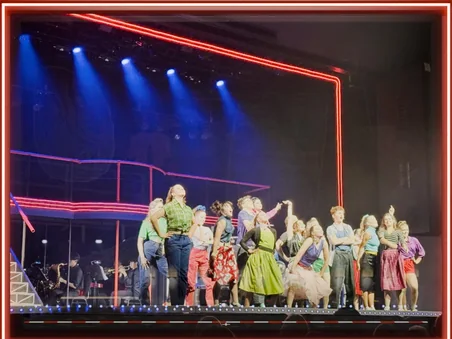
01What the audience sees. Curtain call, Grease.
AShow day, Thursday 16 MayEach department’s call, counted back from a 7.30 pm curtain
A·1What broke in that window
1Props not where they should bePROPS IN THE CROSSOVER
2Zip stuck in a quick changeZIP STUCK
3Mic pack on, no soundNO SOUND
4Batteries not swappedNOT SWAPPED
5A piece of scenery jammedTRUCK JAMMED
6An actor’s path blockedPROPS IN THE CROSSOVER
7Two channels, nobody sure whichCH A? CH B?
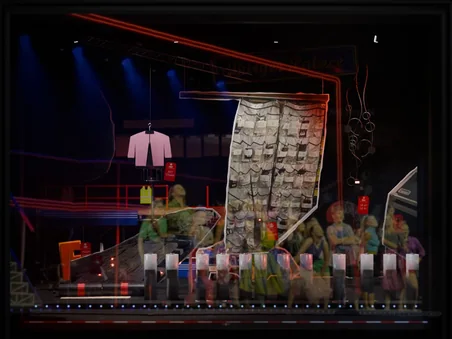
Seven kinds of fault, six red tags. Each tag hangs on the object it belongs to in layer IN 2 of the model (page 03).
Friday matched Thursday. For Saturday’s 2 pm matinee only wardrobe moved, to −150.
BProduction week, 11–18 MayFirst call to finish, each day
8days in a row
9calls
4curtains
60h 20minfirst call to finish, summed
show dayrehearsal daycurtain up
02The set, house empty.
03Sound room: mic packs, cable, cases.
04A wagon built from scaffold pipe.
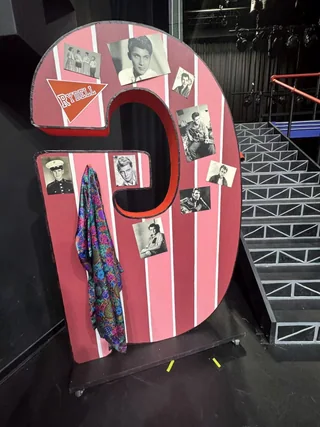
05The back of the G.
03 Distance is time · concept
The closer you get, the earlier it is.
The backstage record sorts into four kinds: preparation, faults and mistakes, repeated work, and the moment on stage. Instead of a menu, each kind gets its own depth in one stage. The front is the show as the audience saw it. Behind it the clock runs back, one layer at a time. Bring a hand closer and the light moves one layer deeper.
A rule for the footage
Clips are linked only where one thing really led to another. Nothing is cut together as cause and effect if it didn’t happen that way.
From the concept document. The layers set a depth, not a plot: start at the show and go back, or start deep in the repeats and pull out to see what they turned into.
Statefront view, as shown in the build
The moment on stage
Preparation
Faults and mistakes
Repeated work
Footagewhat the clips record
Lights coming up, the show starting, the finished picture.
Cleaning the floor, setting the stage, checking the kit, the last tidy before doors.
Kit that failed, rehearsals that stopped, and the fixing that came after.
Blocking walked again and again, moves drilled, lights refocused, scenes re-run.
In the modelwhat lights up
The curtain-call photo printed on the scrim, front-lit inside the red neon portal. Nothing behind it shows.
Through the scrim, twelve numbered batteries stand on the cast’s marks. A battery in each spot a performer will take.
Six red tags on the things that failed: mic pack, charger bank, jacket zip, headsets, the E truck, a road case.
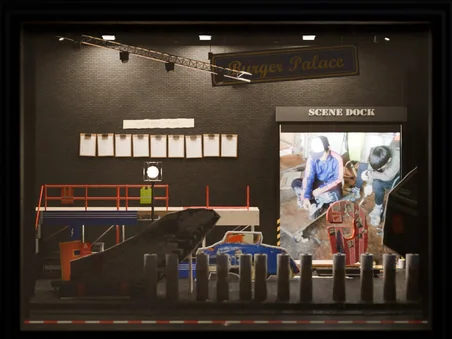
Nine ticked call checklists on the back wall, one per call. The scene-dock door opens on the workshop.
Soundplan, one track per state
The cue call on headset, under the band.
Footsteps, a broom, a case rolling on its wheels.
A radio check that gets no answer.
Rehearsal calls: “From the top.” “Again.”
Camera · light
≈ 2 m front light on the scrim
≈ 1 m scrim dims, IN 1 comes up
≈ 0.5 m neon off, IN 2 comes up
≈ 0.25 m work lights, every layer
04 Three gestures · interaction
Three gestures, one at a time.
Everything runs off the Mac’s own camera, and the page listens for three things only. While one is running the others are locked out, so a hand that drifts closer during a turn doesn’t also zoom. Movement is smoothed before it reaches the stage.
If tracking drops
The view stops where it is and waits. Mouse, trackpad and a reset button do the same three jobs, so the piece still works when the light is bad or the room is busy.
as the camera sees them · 21 landmarks per hand
01Turn旋转
Do
Close both hands as if holding the set, then move them together.
Drives
Left and right turn the stage (yaw). Up and down tilt it (pitch).
You see
The set swings round to show its sides; yaw and pitch read out in degrees.
Guard
Speed is capped, so a fast hand can’t whip the set round.
02Move in拉近
Do
One hand, fingers together, toward the camera. Back off to move out.
Drives
Camera distance, 2 m to 0.25 m. Never the video’s playhead.
You see
The meter slides and the next layer behind the scrim comes up.
Guard
Clamped both ends: never inside the set, never up against a screen.
03Reset重置
Do
Show an open palm and hold it still for one second.
Drives
Angle and distance ease back to the opening view, the curtain call.
You see
A ring fills over the second. Let go early and it empties again.
Guard
The hold stops a wave or a stretch from throwing the view back to the start.
AGesture statesHow the page decides what a hand means
BControl panelredrawn from the build, labels as designed
Waiting for gesturesDrag · Scroll · Hold Space5
1Live camera view and a tracking score. People learn fast to keep their hands inside it.
2Camera distance on a log scale, the same one the four layers sit on: 2, 1, 0.5, 0.25 m.
3Yaw and pitch in degrees, so a second person can follow what the hands are doing.
4The ring fills while the palm is held and empties if the hand closes early.
5What the page is waiting for, plus the mouse and keyboard fallbacks. Always on screen.
05 The first build · prototype
The first build, tried with the lights off.
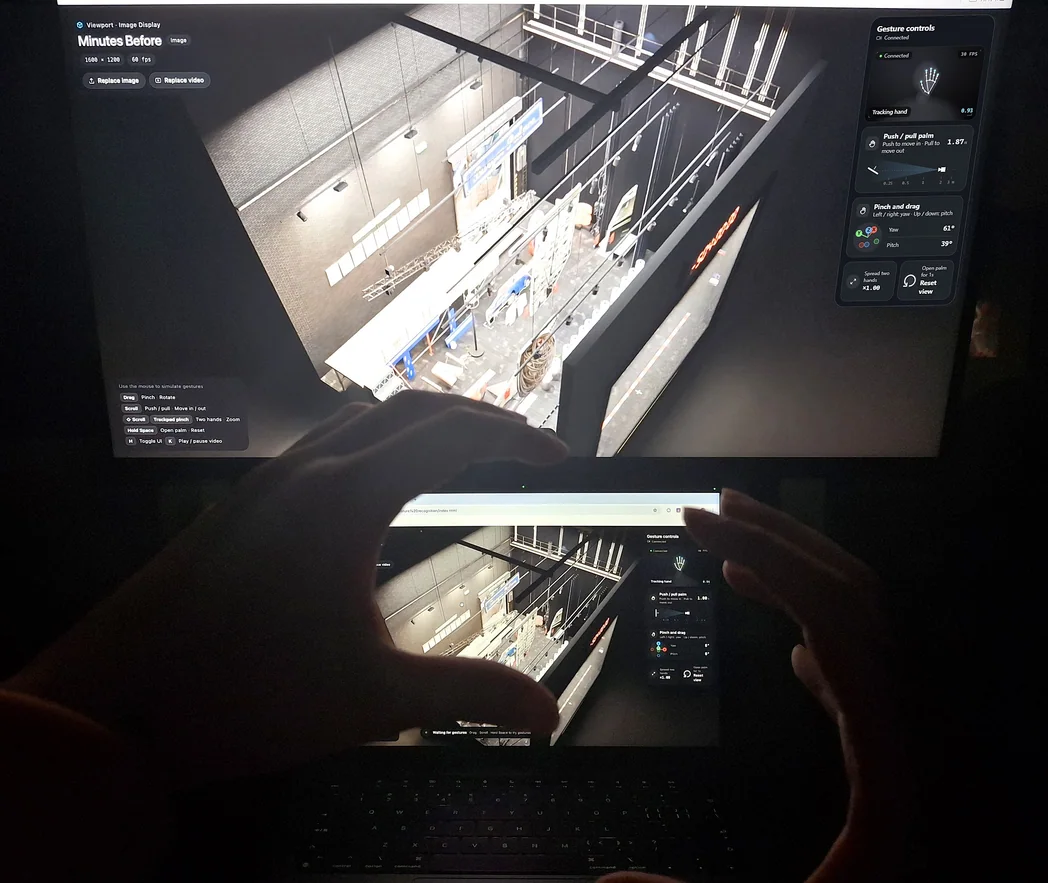
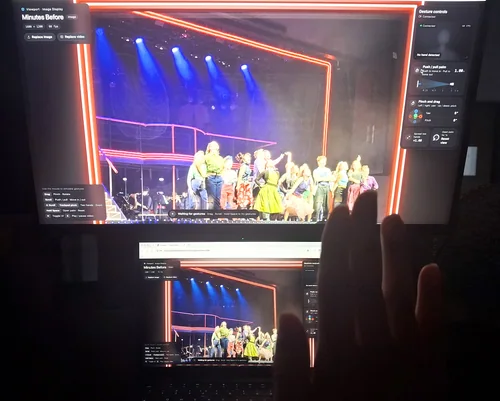
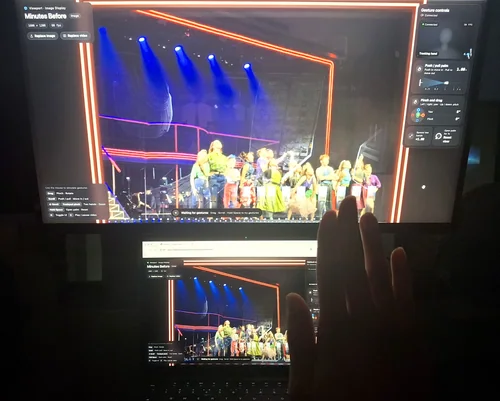
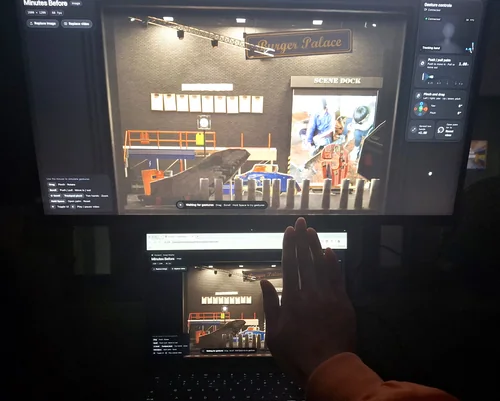
The first working run, on a MacBook mirrored to a larger monitor. Hands were tracked at 30 fps with the screens as the only light, and one hand pushed toward the camera took the view from the curtain call to the back wall in four steps. This build steps through pre-rendered views of the model (1600 × 1200), so the gestures could be tested before the live .glb and the video screens go in.
01Two hands up, and the set turns to show the stage house from above: yaw 61°, pitch 39°, tracking score 0.93.
AHow one camera judges “closer”one lens can’t measure depth, so the page reads palm size
BPush inphotos 02–05, each placed at the distance its push/pull meter showed
02 00:00:00the moment · ≈ 2 m
03 −00:05:00places · ≈ 1 m
04 −00:23:41faults · ≈ 0.5 m
05 −504:00:00again · ≈ 0.25 m
What the first run showed
Tracking held at 30 fps in a dark room, with a score of 0.93 in photo 01.
At the edge of the frame the hand drops out (“No hand detected”, photo 02) and the view stays where it was, as designed.
The four states fell at about 2, 1, 0.5 and 0.25 m, each half the last.
Fix before the next run
The panel still says “Pinch and drag” and “Spread two hands” from the template. Rename to Turn, Move in, Reset.
Replace the pre-rendered views with the live .glb and put the video screens in.
Try it on people who haven’t seen it. Do they find the faults layer without being told?
Why a log scale
Halving the distance each step means every layer costs about the same hand movement.
The deep layers, where the detail is, get as much travel as the front.
Switches sit halfway between stops, with a dead band so a resting hand doesn’t flicker.
06 Model, pipeline, tests · making
The model holds the space. The video holds the time.
The stage is built in Blender, and every object that has to move, light up or play is named in the file. It reaches the browser as a single .glb. Video loads on its own and is mapped onto the screen surfaces as a texture, so footage can be swapped without touching the model.
1
2
3
4
5
FIGCutaway in the work state, house-side wall and borders removed so every layer shows at once. Render from the .blend.
1ScrimThe curtain-call photo printed on gauze, inside the red neon portal. The show clock sits on the front face.
2IN 1Twelve numbered batteries on the cast’s marks, the LED lip along the front edge, the prompt desk in the wing.
3IN 2The organiser batten: mic packs, the Pink Ladies jacket, two headsets in a knot, six red tags.
4IN 3Back wall: nine call checklists, the Burger Palace sign, the scene-dock door onto the workshop.
5Fly towerGrid, gallery and pin rail. One batten flies the organiser and the fault layer out together.
APipelinespace, time and input travel separately and meet in one Three.js scene
BTeststhe plan from the concept document, and where the first run left it
Stage
Check
First run
Note
Function
The model loads
partly
pre-rendered views so far; the live .glb is next
Function
Video plays steadily on the screens
to do
next build
Function
The three gestures are told apart
partly
turn and move in seen in 01–05; reset not yet photographed
Conditions
Low light, hand at the edge of frame
seen
30 fps by screen light; at the edge the view holds (02)
Conditions
Bright room, busy background, one hand over the other
to do
tune thresholds and smoothing after
Viewing
People find the footage, push in, stay to watch
to do
first-time viewers, no instructions
Viewing
They connect the show with what came before
to do
ask afterwards: what happened before the curtain?
Camera and consent
Camera frames stay on the device and are used only to find hands. Nothing is saved or uploaded. Footage and sound of the cast and crew are used only as far as each person agreed.